
Data Quality Columns
Data Quality Columns provide pre-built AI Column recipes for common data validation and standardization tasks. Instead of writing prompts from scratch, you can select from templates designed specifically for cleaning and validating your data.
Overview
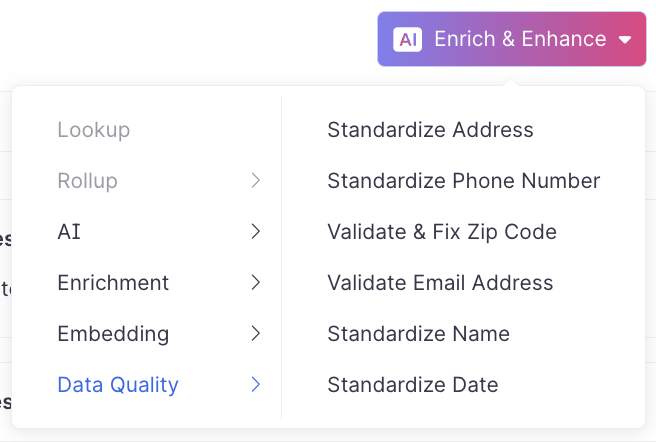
Data Quality Columns are available in the Enrich & Enhance dropdown under the Data Quality category. These templates leverage Activations AI Columns to automatically clean, validate, and standardize your data using best-practice prompts.
Available Templates
Standardize Address - Converts addresses into a consistent format, handling variations in street abbreviations, formatting, and structure.
Standardize Phone Number - Formats phone numbers into a consistent pattern, handling country codes, area codes, and various input formats.
Standardize Name - Normalizes person or company names, handling capitalization, spacing, and common abbreviations.
Standardize Date - Converts dates from various formats into a standard format (for example, YYYY-MM-DD or ISO 8601).
Validate & Fix Zip Code - Checks zip codes for validity and attempts to correct common errors. Returns "INVALID" when a zip code cannot be fixed.
Validate Email Address - Verifies email address format and checks for common typos or invalid patterns.
How to Use Data Quality Columns
- Click Enrich & Enhance in your data workflow
- Select Data Quality from the left sidebar
- Connect your LLM provider (OpenAI, Claude, Gemini)
- Choose the appropriate template for your use case
- Map the relevant input columns from your dataset
- Preview the results to verify the output
- Save and run the column
Example: Standardizing Addresses
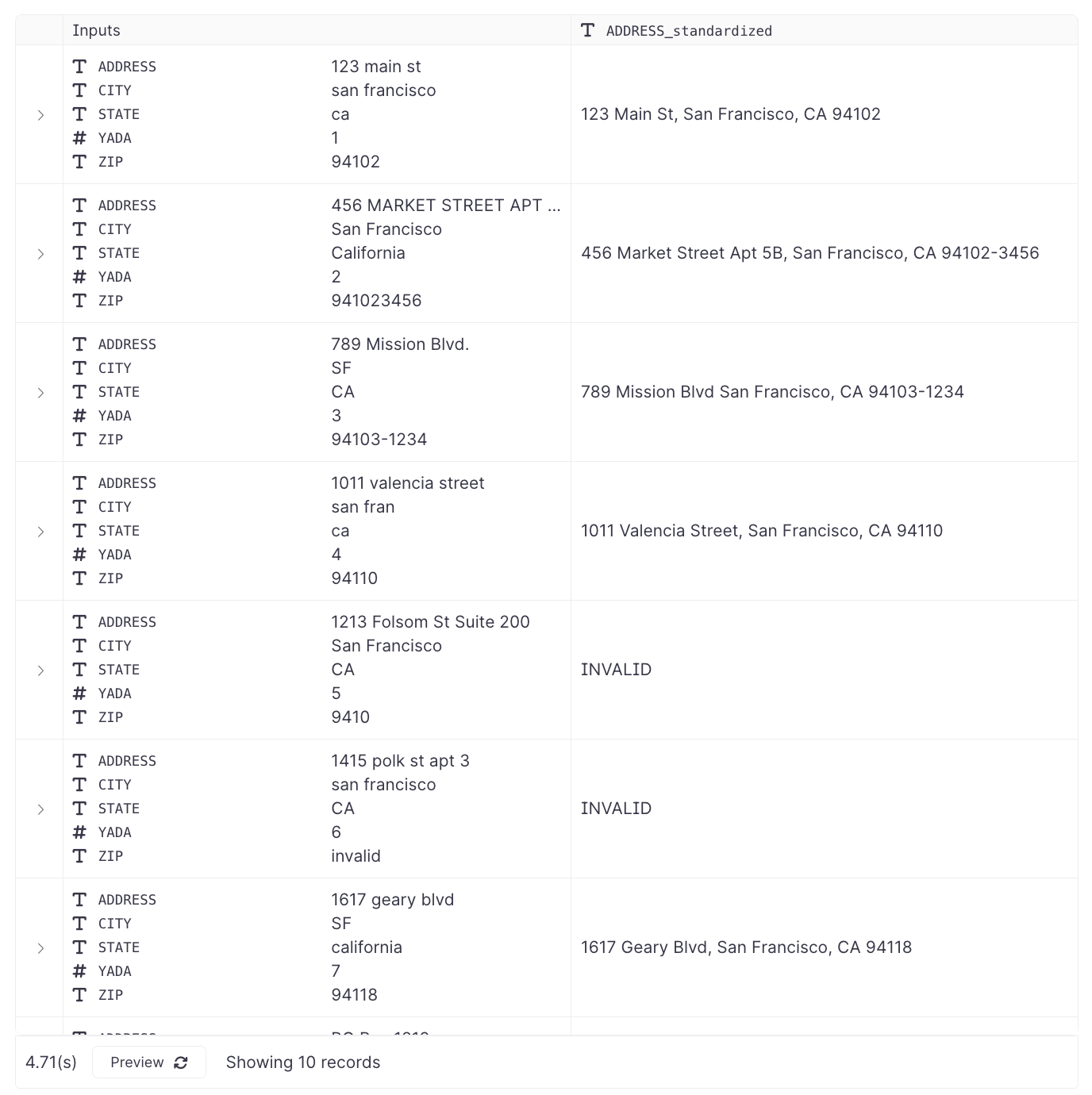
The address standardization template accepts multiple input columns:
- ADDRESS (street address)
- CITY
- STATE
- ZIP
The template automatically:
- Capitalizes street names and city names correctly
- Formats state abbreviations
- Combines components into a standardized format
- Returns "INVALID" when standardization isn't possible
When to Use vs. Traditional Transformations
Use Data Quality Columns when:
- You need fuzzy matching or intelligent interpretation of messy data
- Input formats vary significantly
- You want to handle edge cases without complex regex patterns
Use traditional SQL/dbt transformations when:
- Data is already in a consistent format
- You need deterministic, rule-based transformations
- Performance and cost optimization are critical