
dbt Integration
Use Activations directly with dbt through the native dbt integration.
Activations supports connecting to an existing dbt project hosted in GitHub or GitLab, which allows you keep all your source code & transforms in a single repository while leveraging Activations' functionality. Activations is designed to work hand-in-hand with dbt Cloud or any other dbt runner.
To connect your dbt project you'll first need a source connection within Activations. Once you have a source configured you can connect your dbt project from the Projects button.

Setting it up
Here are the instructions for connecting a dbt project:
- Connect to your repository in GitHub, GitLab, or Bitbucket.
- Select the branch you’d like Activations to use. Activations will refresh the project on a regular basis and detect any changes to your models. You can force a refresh at any point from the models' page.
- Specify the database and schema parameters used when compiling models. These values should be the same values you use in the
profiles.ymlfile for your production dbt runs. You may need to ensure that your Activations data warehouse connection has read access to intermediate tables produced by your dbt run. - Customize optional parameters:
- The Activations model selector. Any model exposed to Activations becomes available as a source for syncing your data to external tools. By default, Activations looks for models with the
censustag but you can customize the filter. Example selectors:- All models with a tag:
tag:census - All models in a directory:
path/to/models - All models:
* - For more information on selector syntax, see dbt’s Model Selector Syntax.
- All models with a tag:
- Target Profile Name. Provide Activations with your production profile's name if this value is used as a variable in a custom
generate_schema_namemacro or other location. Otherwise, leave this value asdefault. - Environment Variables. Use the Environment Variable editor to specify the values that Activations should use when compiling your dbt models.
- The Activations model selector. Any model exposed to Activations becomes available as a source for syncing your data to external tools. By default, Activations looks for models with the
Once you’ve configured your project repository, Activations will analyze your project and display the models you’ve made available. You’re now ready to start using these models as part of Activations syncs!
Managing dbt versions
Activations currently supports the following dbt versions: 1.7, 1.8, 1.9, and 1.10 We announce new version support in our changelog, and we aim to add support for a new dbt version no more than four weeks after its release by dbt Labs.
To determine your dbt version, Activations uses the require-dbt-version field (if specified) in your project's dbt_project.yml. We recommend you pin your dbt project to the minor version range as dbt recommends. For example, the following configuration would ping your project to version 1.6:
require-dbt-version: ">=1.6.0,<1.7.0"
A few additional notes:
- If this field is not specified the latest available version will be used.
- We do not recommend you specify a single patch-level dbt version (for example:
require-dbt-version: 1.6.0) as this can cause your project to break when newer versions are adopted. - If Activations does not support a version the matches the conditions in
require-dbt-versionfield, the project will not compile successfully. - If Activations supports multiple dbt versions that match the requirements, the latest version supported by Activations will be used.
Alternatively, you can configure your dbt project in Activations to use a specific dbt version (note that this version must be within the supported version range defined in your dbt_project.yml if one is specified). You can set this by selecting a specific version in the dbt Version dropdown menu with in your dbt project's configuration in Activations.

Note that setting an version override may cause issues if the Activations configured value falls behind your project configuration. We recommend you provide the support values using require-dbt-version instead.
Activations ignores the optional version and config-version fields in dbt_project.yml.
Unsupported features
Our dbt integration is designed to pair nicely with your existing dbt runner, whether dbt Cloud or self-hosted. We do this by using the dbt compile command rather than the typical dbt run and then make use of the compiled output only.
As a result, there's several dbt features that Activations does not make use of. These include:
- Materialization directives. Activations doesn’t currently materialize your tables back to your data warehouse. Activations will however use materialized tables by your dbt runner to speed up the execution
- Pre and post hooks
- Non-public packages
- Activations does not currently support dbt regions other than
North America multi-tenant. dbt regions described in documentation here.
Activations does not currently support dbt regions other than North America multi-tenant.Further information about dbt regions in documentation here.
dbt Continuous Integration (CI) Checks in GitHub
For dbt models used in activation syncs, Activations can check whether you are going to drop, rename, or move a model that will end up breaking an active sync in your account. When a Pull Request (or commit to a Pull Request) is created, dbt CI Checks will help ensure that your dbt development never unexpectedly breaks downstream activation syncs.
Installing CI Checks in GitHub
To enable these CI checks, navigate to your dbt integration in Activations and click "Enable CI/CD Tests in GitHub". Note that Activations will require the checks:read permission to install.
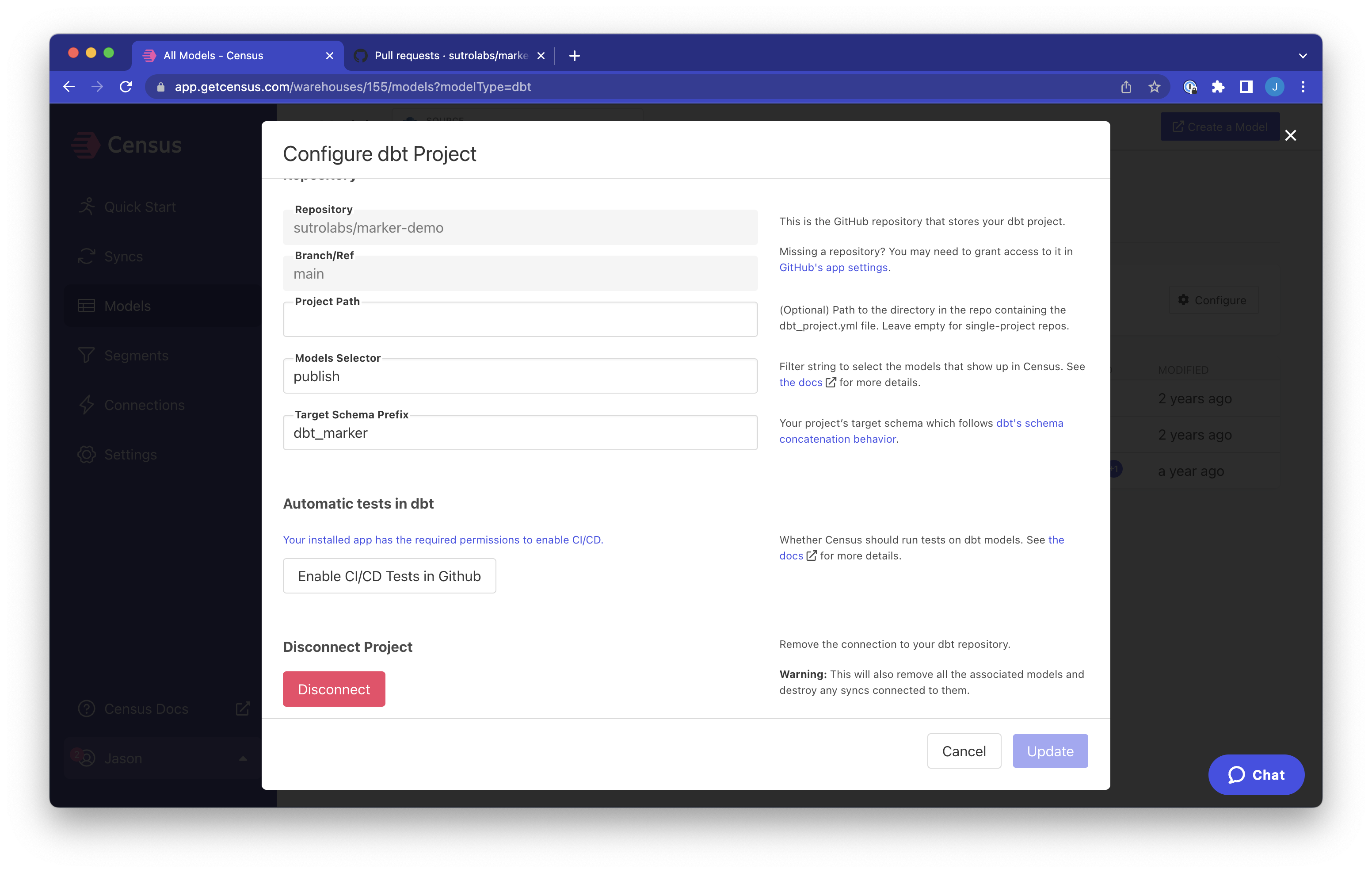
You can find dbt Checks in a new section of your dbt integration, under "Automatic tests in dbt".
Once you enable CI checks, Activations will automatically run a sample check on a PR. You can then view the PR to see the results of the check.
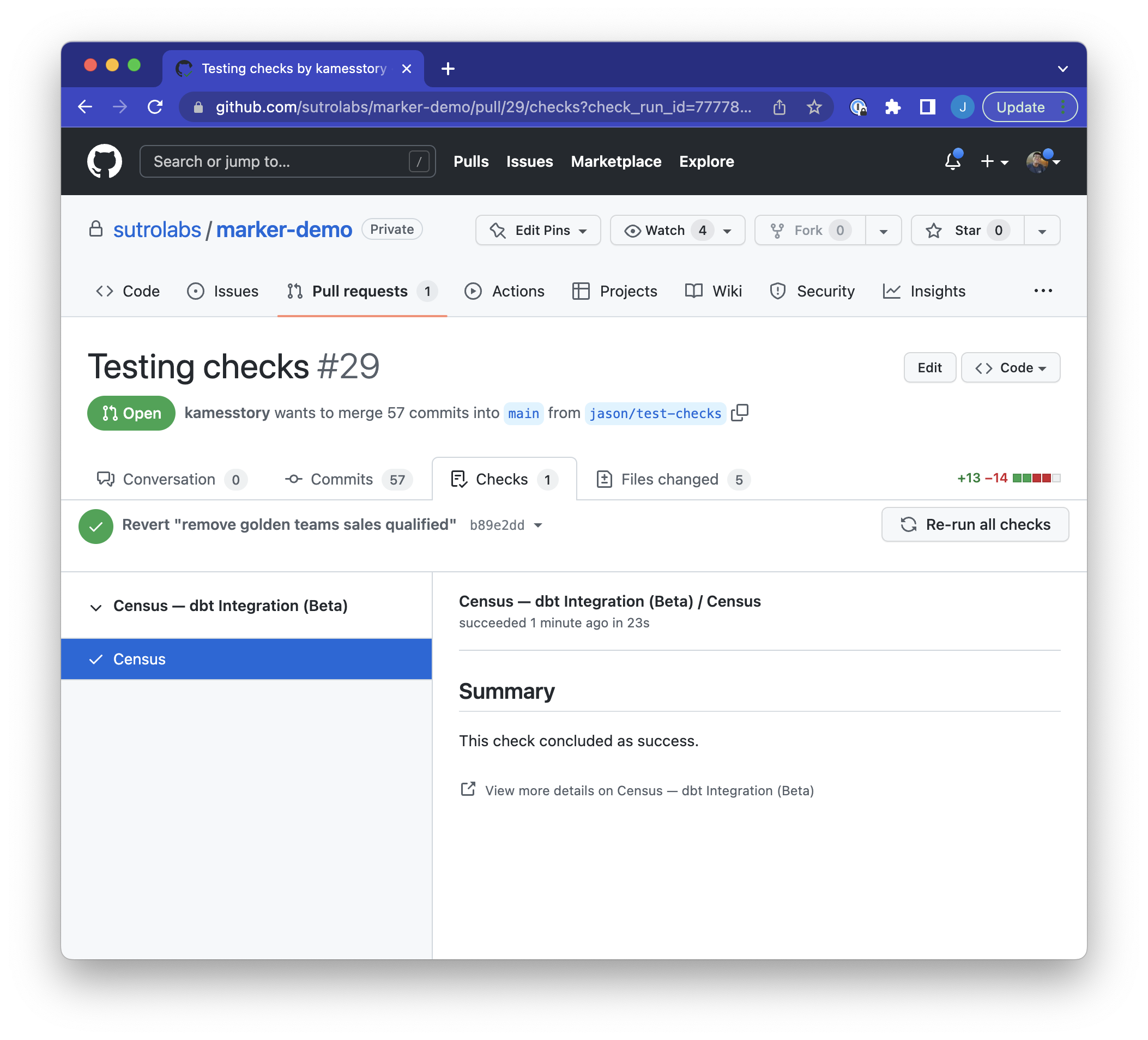
If any tests do not pass, you can click Details to view more information about the results. You'll see a report of any broken models and their dependent syncs, with links to investigate these syncs further in Activations.
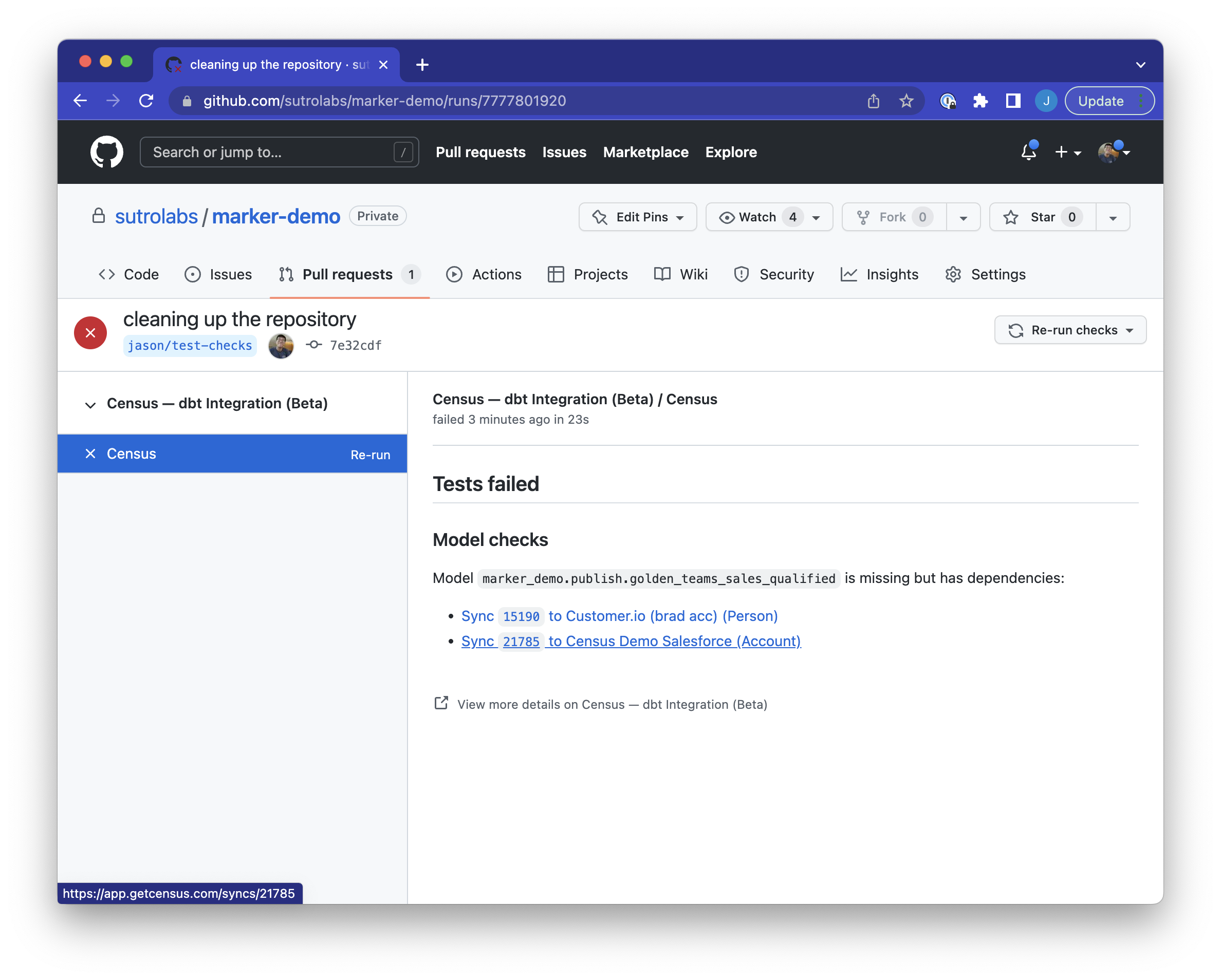
A detailed view of the test failures.
Coordinating with dbt Cloud
If you're using dbt Cloud to run your dbt project, our integration goes even further. You can configure Activations to automatically run syncs whenever your models have been rebuilt. See our documentation on connecting and configuring dbt Cloud.
Required data warehouse permissions
Activations doesn't necessarily require the same permissions your dbt project needs because Activations only runs the models you've exposed to Activations during set up. Activations only requires read access to your selected models and any of their materialized dependencies. That means you can use dbt's materialize configuration flag to create permissions boundaries. Once materialized dependencies are generated by dbt runner, Activations will reference the materialized results when accessing your models.
Additional permissions when using BigQuery Service Account Key
If you're using BigQuery with Service Account Key JSON, you'll need to grant your service account one additional role: roles/iam.serviceAccountTokenCreator. This permission is used by dbt to authenticate with BigQuery when compiling models. For more details, see dbt's documentation.