
Insightly
This page describes how to use Activations with Insightly.
Getting Started
- Navigate to the Destinations page in Activations and click New Destination.
- Select Insightly from the menu.
- Enter your API Key and Instance Pod. These can both be found on the User Settings page in the Insightly app. Note: if your API URL is https://api.na1.insightly.com, then your Instance Pod is
na1.
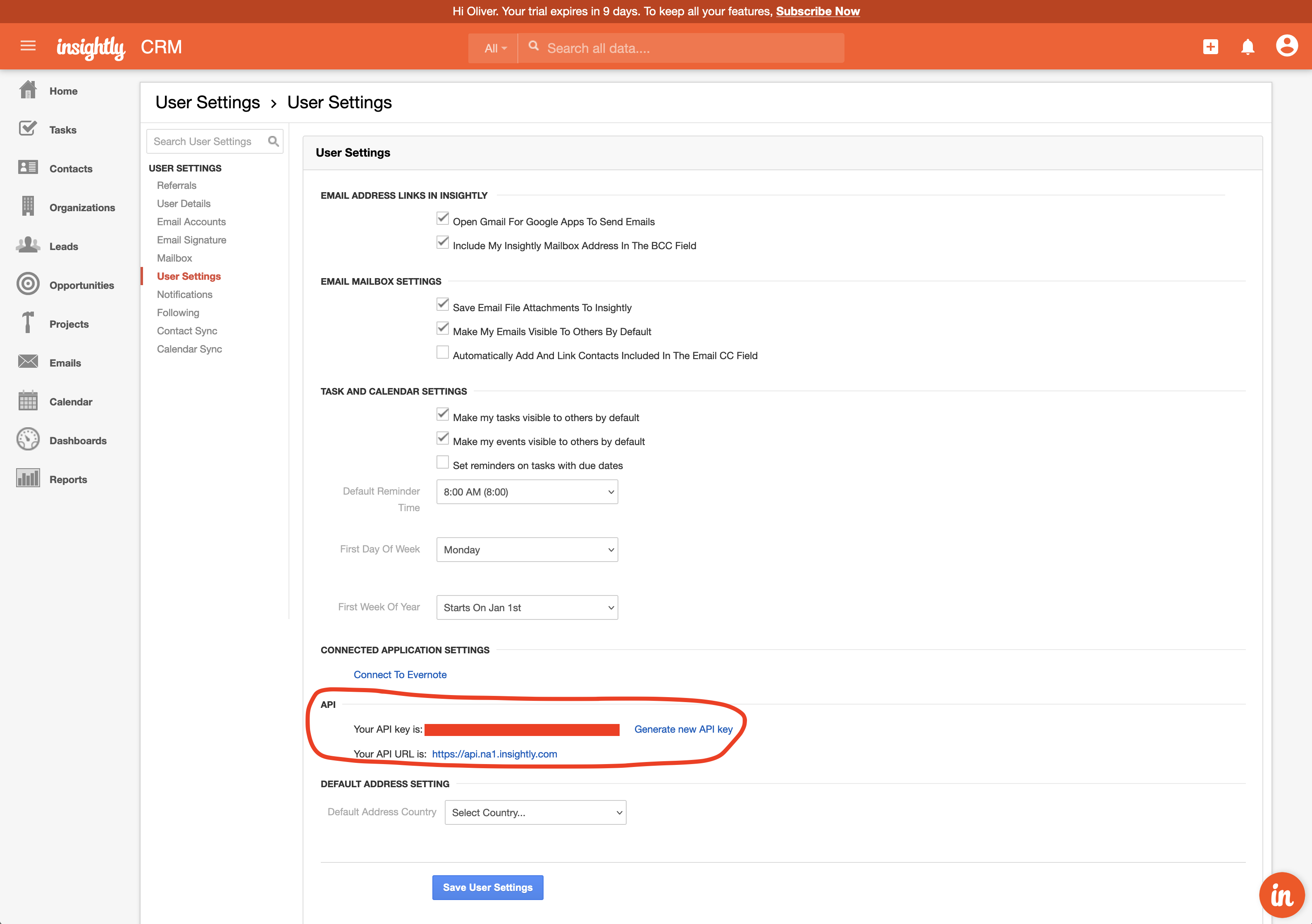
Get your API key and instance pod from the Insightly app.
Supported Objects and Sync Behaviors
| Object Name | Supported? | Sync Keys | Behaviors |
|---|---|---|---|
| Behaviors | ✅ | Contact ID, Email | Update Only, Add |
Learn more about all of our sync behaviors in our Syncs documentation.
Contact Support if you want Activations to support more Insightly objects and/or behaviors.