Rokt
This page describes how to use Activations with Rokt.
Rokt is an e-commerce marketing technology company that uses machine learning to help businesses personalize the customer experience and drive revenue. Activations can help you sync your data to Rokt, helping you increase order value, acquire new users, and grow revenue.
Getting Started
- Navigate to the Destinations page in Activations and click New Destination.
- Select Rokt from the menu.
- Open Rokt in another browser tab. Take note of your Account ID, which can be found in the URL (for example, https://my.rokt.com/accounts/123456789/profile-settings).
- You'll need to ask your Rokt account manager for credentials.
- Custom Audiences: request an API Key
- Events: request a public/private key pair
- Return to Activations and input these credentials to connect to Rokt.
Supported Objects and Sync Behaviors
| Object Name | Supported? | Sync Keys | Behaviors |
|---|---|---|---|
| Event | ✅ | Any unique ID | Send |
| Audience | ✅ | Email, MD5 Email, SHA256 Email | Update or Create, Mirror |
Learn more about all of our sync behaviors in our Syncs documentation.
Contact Support if you want Activations to support more Rokt objects and/or behaviors.
Audiences
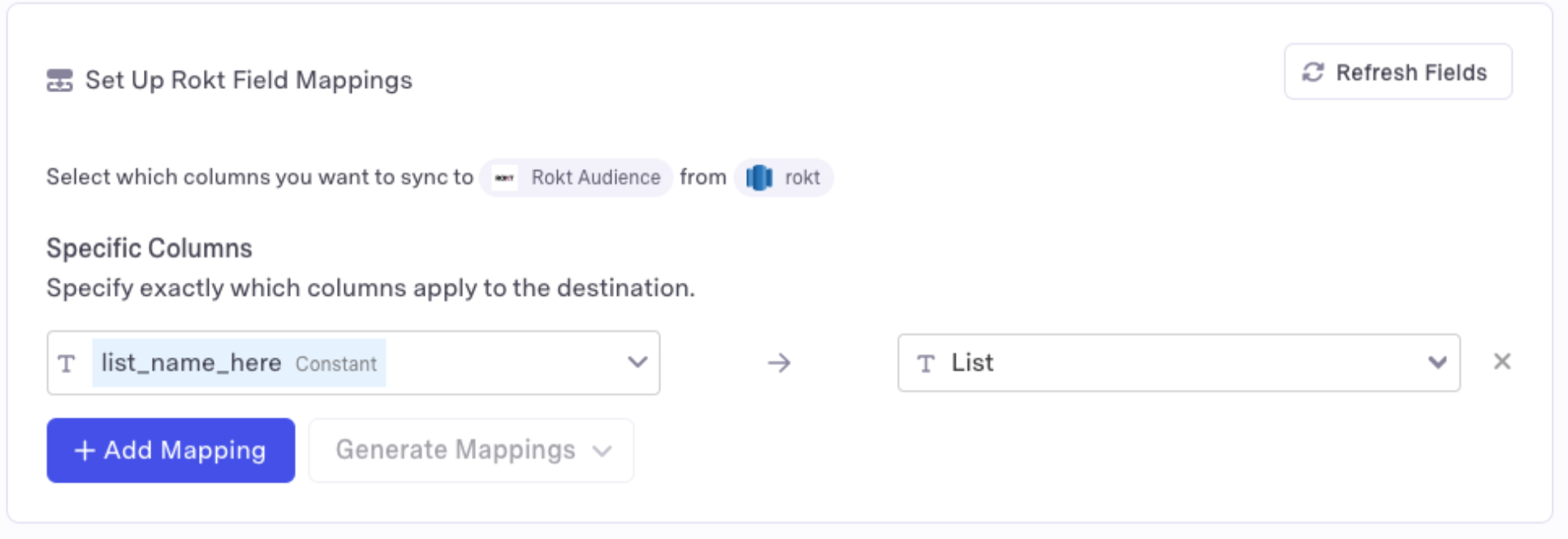
To specify the list to which you want to add members, its name has to be mapped to the List field in Rokt. This means it should either be available in the source, or set as a Constant Value.